
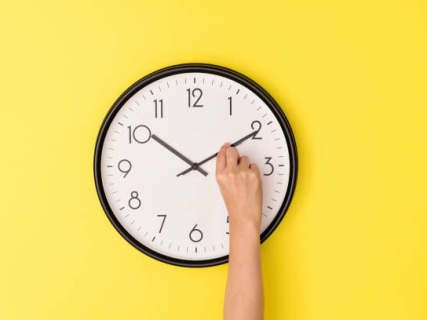
There is a dawn in which looking at the clock twice can bring us back to the same minute. It is that of this Saturday, October 24 to Sunday, October 25: at 03:00 it becomes 02:00 again in the Peninsula, Balearic Islands, Ceuta, and Melilla. In the Canary Islands, at 02:00 it becomes 01:00 again. Spain enters winter time and Sunday officially has 25 hours. This is established by the calendar published in the BOE.
The practical doubt arises before going to bed and returns upon waking: should the time on the phone be changed or will it have done so automatically? The answer depends on its settings. If the device has automatic adjustment and the correct time zone activated, the user does not need to manually set the clock back.
Therefore, the most useful check is not to subtract an hour from all the screens in the house. It consists of distinguishing the clocks that update automatically from those that are still waiting for someone to move their hands or press their buttons.
Two-thirty occurs twice
The backward jump makes the time frame between 02:00 and 03:00 pass twice in mainland Spain. First, it passes with summer time; then, with winter time.
This is the reason why Sunday, October 25 has an additional hour. Those who keep the same bedtime and wake-up time have sixty more minutes between both moments, although that does not necessarily mean they will sleep them.
In the Canary Islands, the same happens with the time frame between 01:00 and 02:00. The change occurs simultaneously and the usual one-hour difference with the Peninsula is maintained.
The mobile: check the settings before changing the time
On an iPhone, the check is found in Settings, General, and Date & Time. Apple indicates that the automatic adjustment option must be activated for the device to adapt the date and time to the corresponding zone. It also recommends keeping the software updated and checking the internet connection if problems with synchronization arise.
If the phone already shows the correct time after the change, there is no need to subtract another hour. Doing so would leave the clock behind the official time.
On Android, Google allows reviewing the automatic date and time options and automatic time zone from the clock settings. The location and exact name of the menus may vary depending on the manufacturer and system version.
The key is to check both things: that the time adjusts automatically and that the time zone corresponds to the place where the user is located.
What to do with the Sunday alarm
To get up at eight on Sunday, the reference remains 08:00 of the new schedule. It is not necessary to set it for seven to "compensate" for the change if the phone is correctly updated.
It is advisable to check that the alarm is activated for Sunday and that the desired sound and volume are selected. The time change does not replace that review: an alarm set only for weekdays will still not be programmed for that day.
In a standalone alarm clock that does not sync automatically, it will be necessary to set the clock back one hour. The same goes for wall clocks and some household appliances. The oven, the microwave, or the car may still show the previous time even though the mobile has already been updated.
If two clocks do not match upon waking, do not change both
A difference of exactly one hour between the phone and the kitchen clock may indicate that one has applied the change and the other has not yet. Before touching either, check which one shows the official time.
The Royal Observatory of the Navy, responsible for maintaining the time scale that serves as the basis for Spanish legal time, provides information about the time and seasonal changes on its official website.
The rule for this morning is simple: clocks are set back one hour, but only once. If the mobile has already done the work, just leave it as it is.